Safer car navigation with Blue Guardian
Overview
Imagine you're driving home on a stormy Michigan night with your hands jammed onto the steering wheel and the wipers on full speed, but you can barely see five feet ahead. Should you pull over? Keep going? Your GPS doesn't care. It's still optimizing for the fastest route, oblivious to the fact that "fastest" might mean "most dangerous".This isn't a hypothetical. For 80% of the drivers we surveyed, this is their reality multiple times each winter. I set out to develop a solution to help drivers navigate safely in severe weather conditions, especially when driving alone.
Jump to Solution
Role
UX Researcher & Design Lead
I led the research and design efforts for this project, focusing on user needs and accessibility.
Timeline
Jan 2025 - May 2025 (4 months)
Team
Reuben Crasto
UX Designer
Emma Zhang
PM
Junhee Chung
PM
Summer Huang
Content Designer
Skills
Problem Framing, Mixed Methods Research, Cross-functional Collaboration, Accessibility Design, Design Systems, Stakeholder Communication
My Contributions
As a UX Researcher, I...
- Conducted semi-structured interviews with 1 driver
- Led market research and competitive analysis to identify opportunities for Hyundai
- Synthesized quantitative survey data (55+ responses) with qualitative insights
- Developed accessibility heuristics for automotive interface design
As a Design Lead, I...
Outcome/Impact
00
Average SUSSUS (System Usability Scale) Score (Out of 101)
00%
Of the participants would use Blue Guardian

Addresses needs of drivers aged 18-65+ through personalization

Creates competitive advantage in markets with severe weather
Background
Hyundai Motor Group (HMG) focuses on creating a future where mobility is accessible to all, and where vehicles are designed around the needs of people. As part of this mission, HMG is exploring how AI can be used to enhance driver safety and confidence in critical scenarios, looking ahead to 5 years or more in the future. Using AI to enhance safety was a broad question; it could go in many directions – from in-car mechanical errors to automated driving. Our team of five focused on identifying a single scenario where AI could make a meaningful difference.The Real Problem
How can Hyundai vehicles leverage AI to help drivers navigate unfamiliar routes safely in severe weather when driving alone?
Understanding the Problem Space
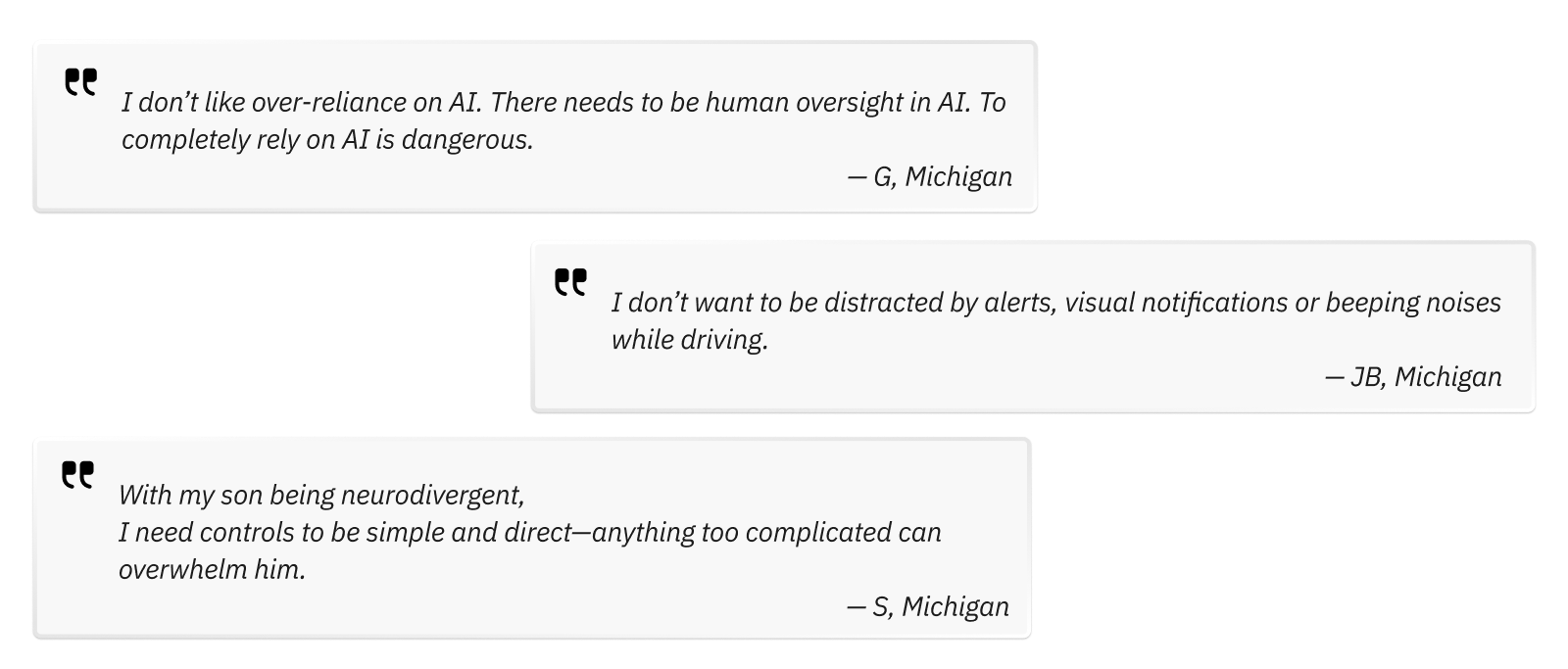
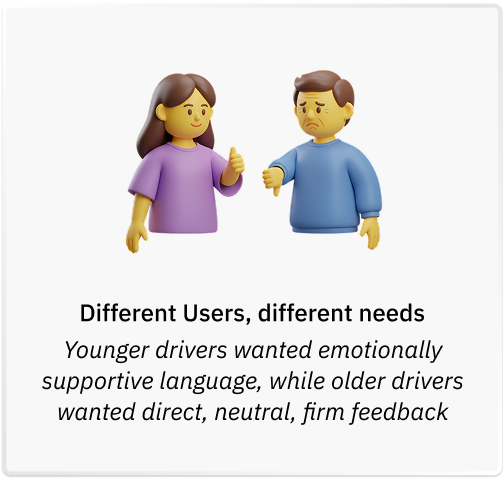
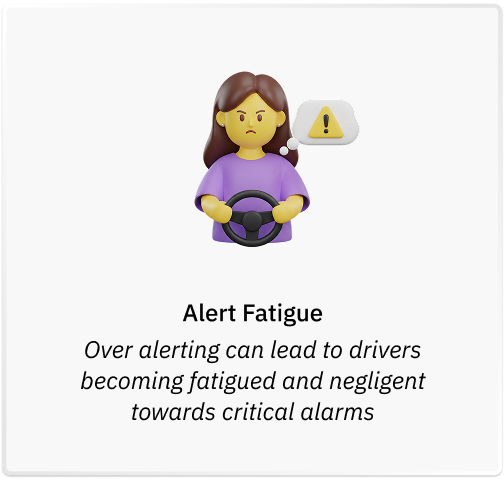
Having started with an open ended question, my team conducted semi-structured interviews with 9 drivers, of which I conducted 1 interview to define scope of the initial problem – bringing us to severe weather issues. I, then, designed and analyzed the survey that received 55+ responses. This helped me understand the user needs in severe weather driving conditions and their attitudes towards AI in cars. These are some of the key problems I uncovered: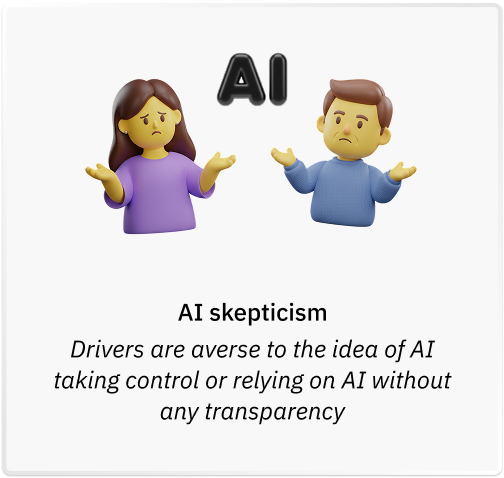
Understanding the competitive landscape

Ideation
From Many Ideas to One Solution
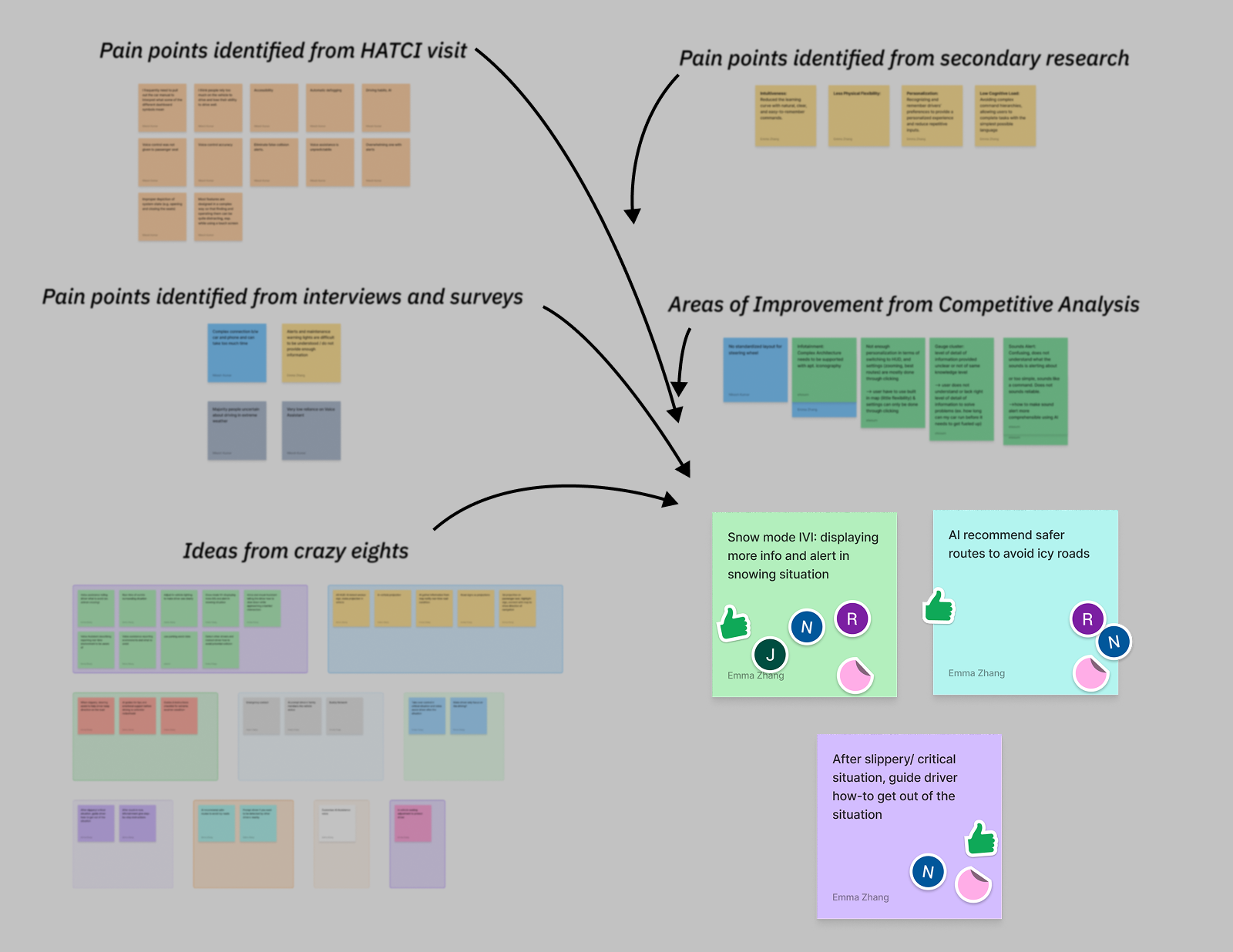
- Snow Mode: A personalized dashboard providing real-time snow data with emotional support
- Road-Aid Assistant: Step-by-step guidance for drivers stuck in snow
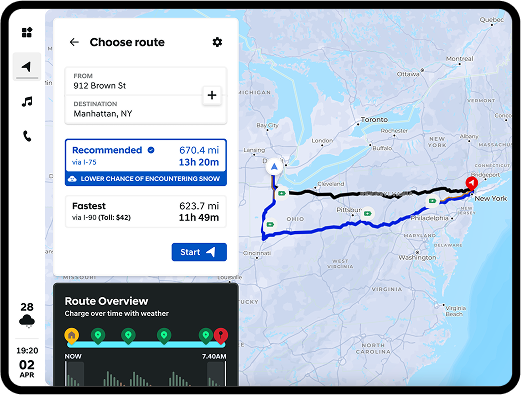
- Snow-Safe Navigation: Route planning that avoids dangerous conditions using crowdsourced data
Design Evolution
Design considerations based on research insights
I developed an accessibility heuristic determining appropriate design elements for the system, using resources such as WCAG (Web Content Accessibility Guidelines), the NHTSA (National Highway Traffic Safety Administration). These included – minimum target size, color contrast, text readability, length of alerts. Aside from those, these are some design considerations I derived from the research insights to uphold for solution: Design Consideration #1: Limit/Prohibit use of the word "AI"Design Consideration #2: The system should assist, not dictate..Design Consideration #3: Use multi-modal feedback but with caution.
Low-Fidelity: Learning What Drivers Need
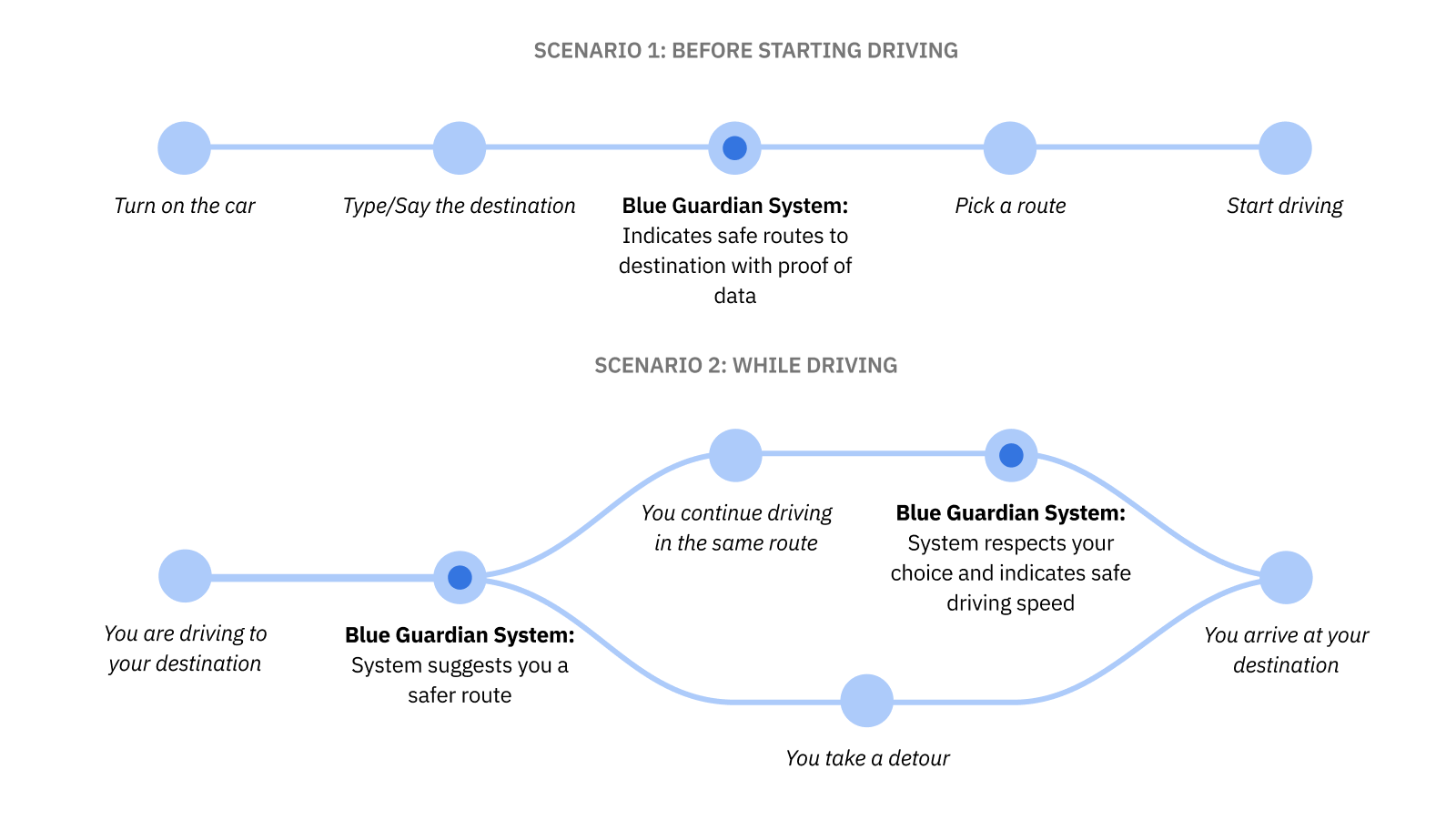
-
Before driving, showing overall weather conditions in the areaThis was scraped after concept testing showed people found it obstructive and unnecessary - Before driving, showing routes that are safer
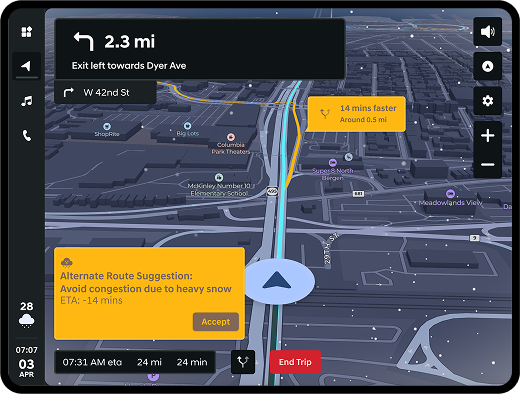
- While driving, displaying route condition alerts
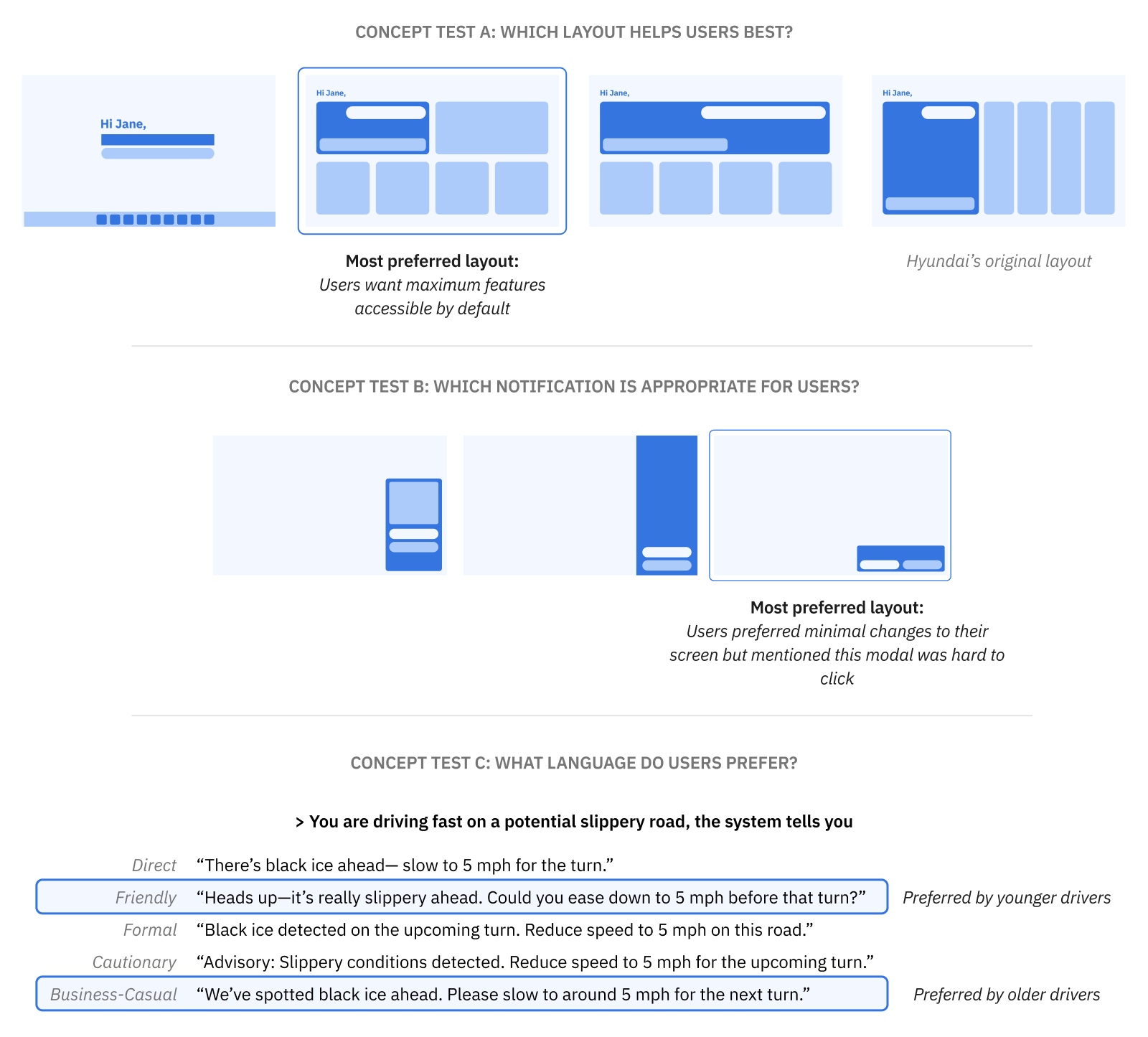
Concept testing with 4 participants (2 younger, 2 older drivers) revealed:
Mid-Fidelity & High-Fidelity: Balancing Clarity, Trust, and Usability
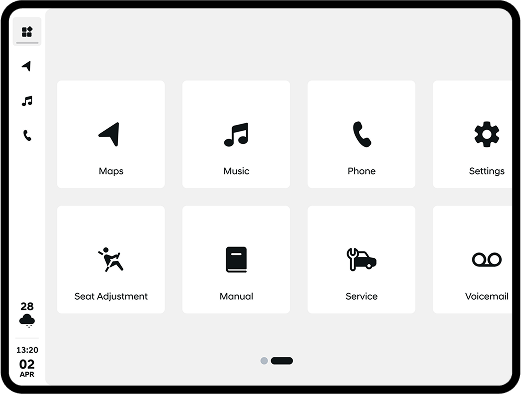
After concept testing, I developed mid fidelity prototypes – designing information hierachy by studying the current sitemap of Hyundai's IVI (In-Vehicle Infotainment) system. I used these for another round of concept testing that revealed the following:What worked:
- Audio feedback was preferred while driving
- Users trusted the system for conditions they couldn't see yet (suggestions for upcoming areas), but trusted their own judgment for immediate conditions
What needed refinement:
- Visual cues were effective but needed refinement
- Stakeholders raised concerns on technical feasability of details like "80% less snow on route"
- Inconsistencies in color coding and animations
- Settings page was valuable but hard to discover
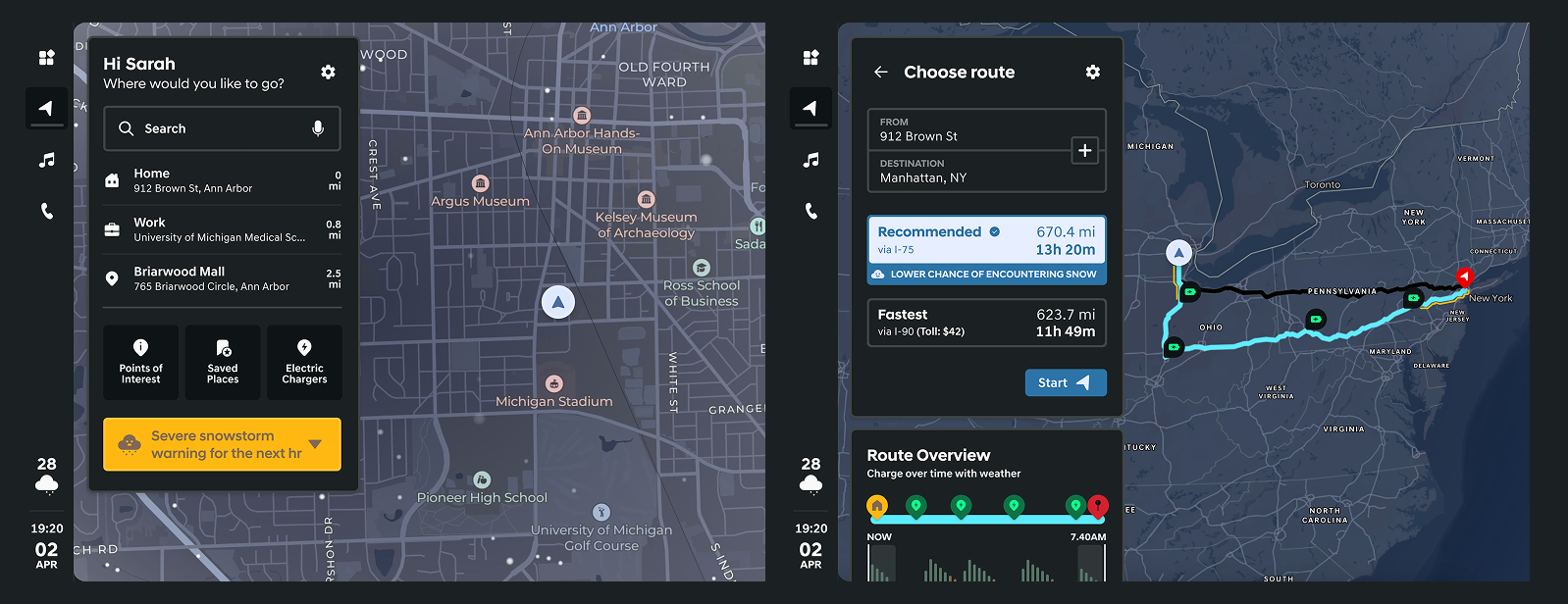
Medium Fidelity
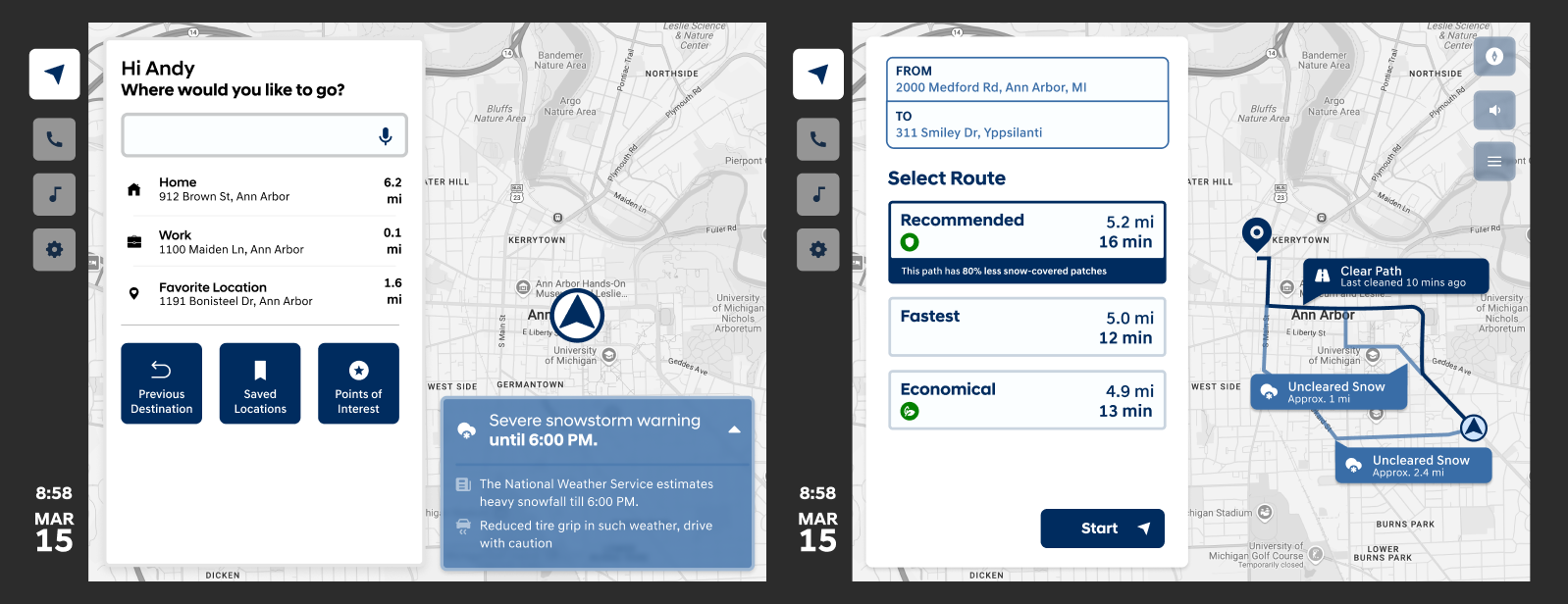
High-fidelity
Solution
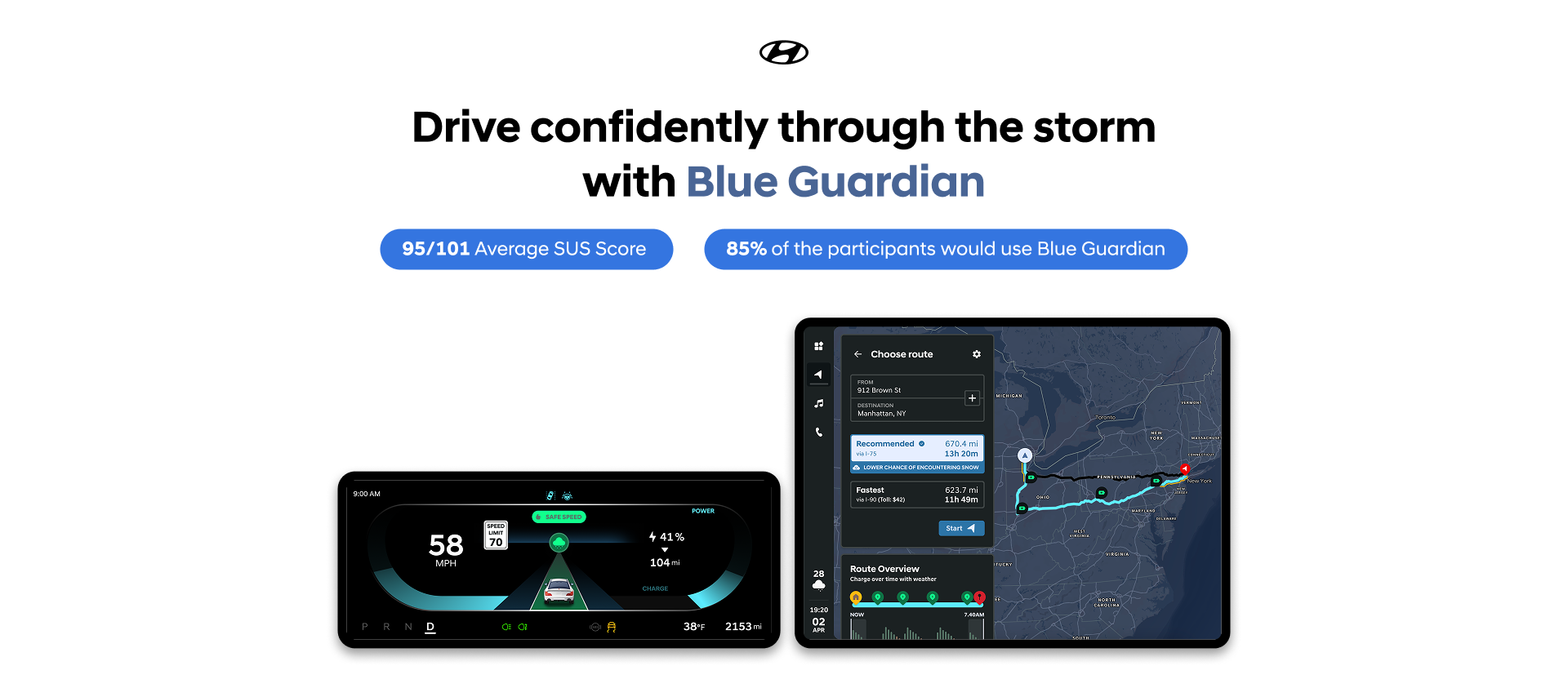
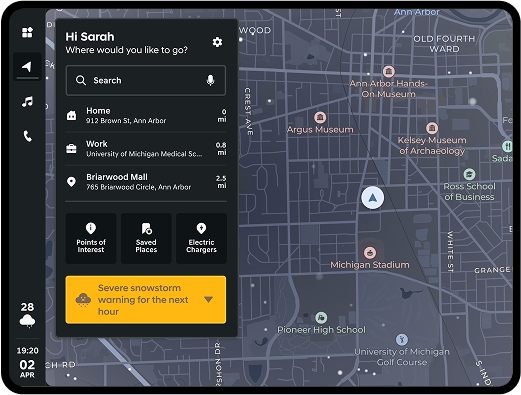
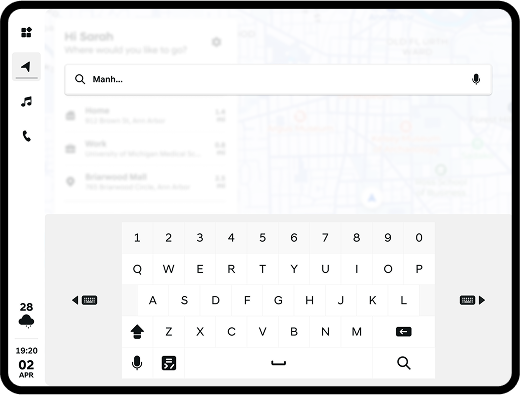
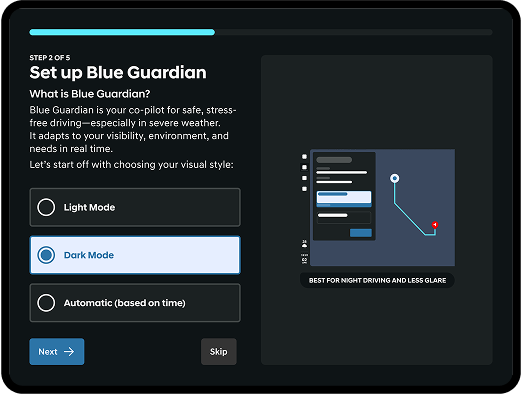
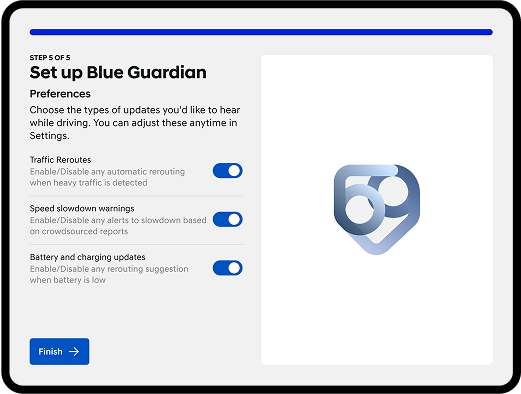
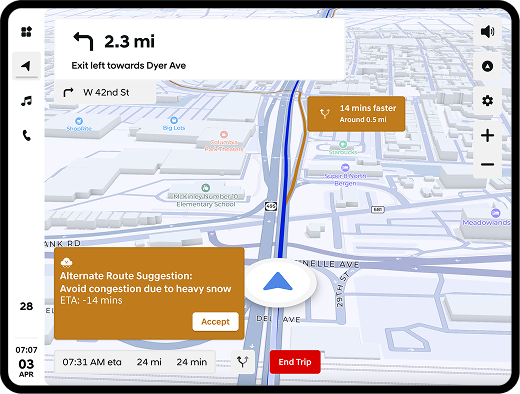
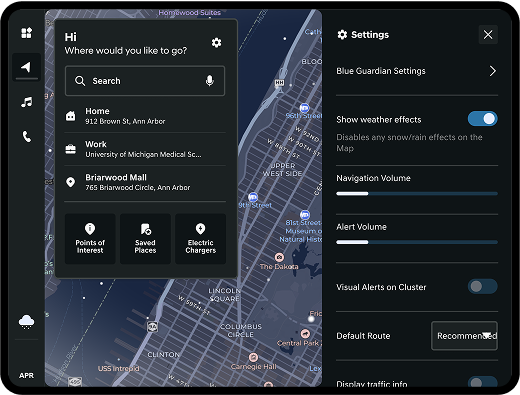
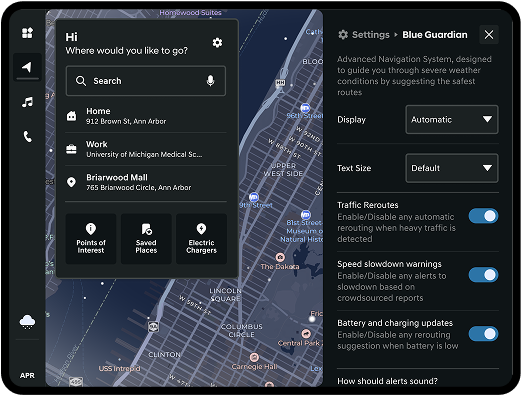
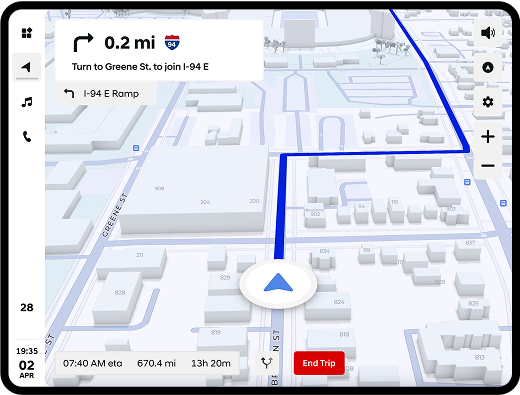
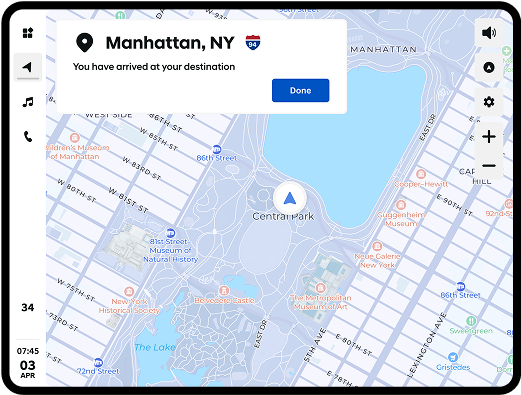
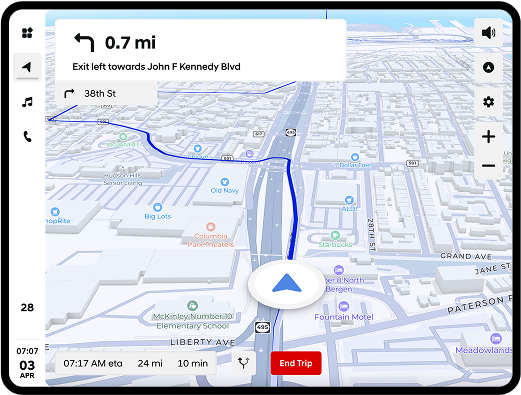
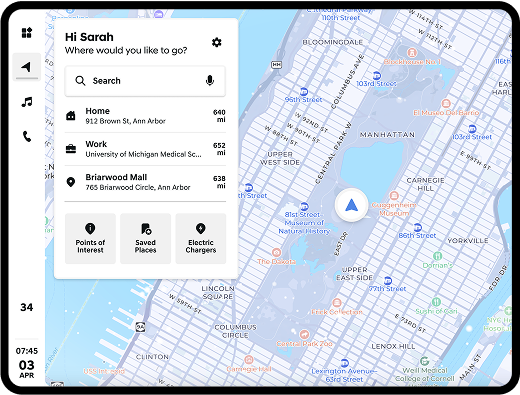
Blue Guardian: Your Driving Copilot: Blue Guardian is a severe weather copilot that utilizes crowdsourced data and real-time weather intelligence to assist drivers in navigating safely.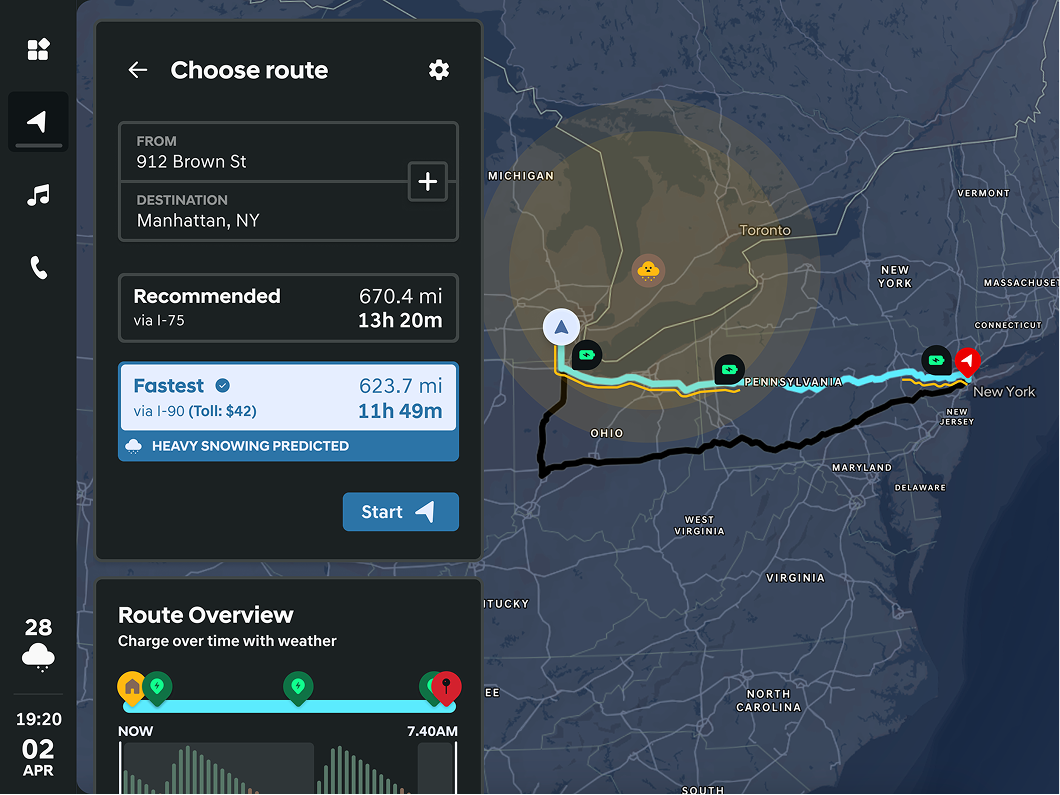
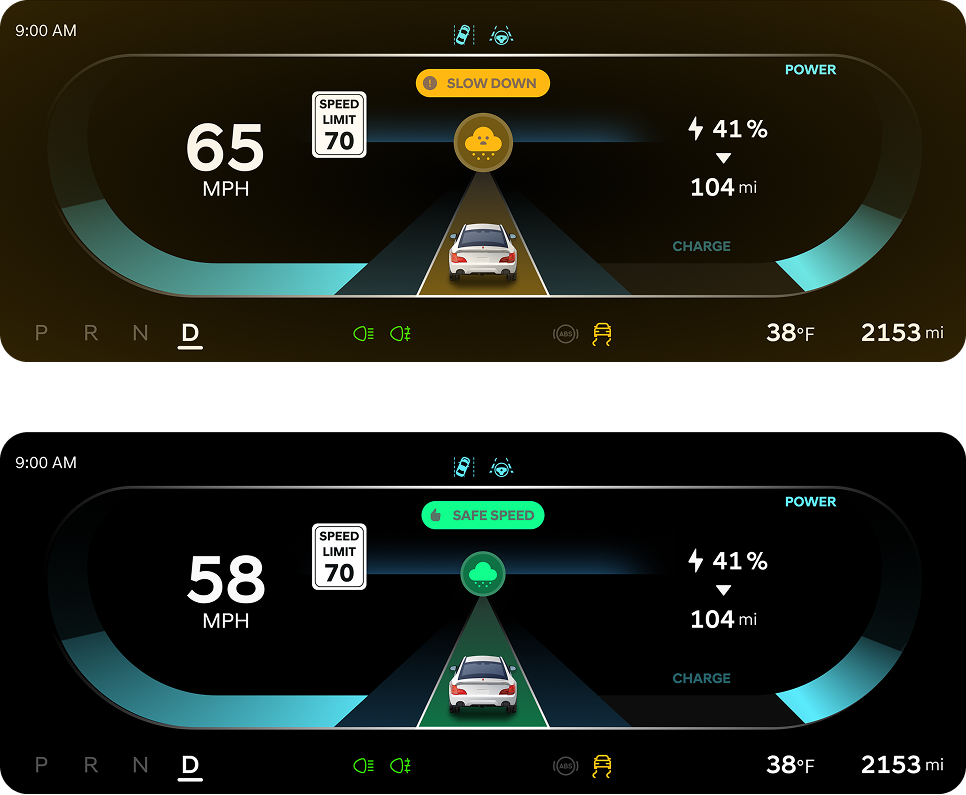
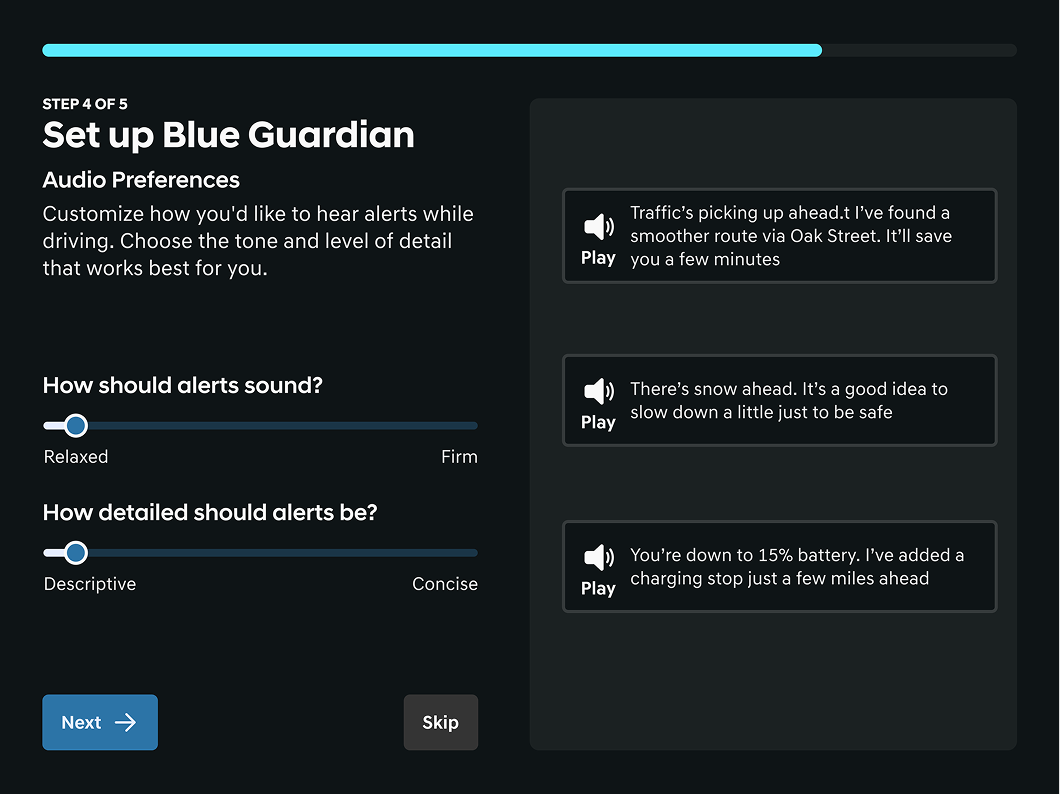
Design System: Accessibility at the Core
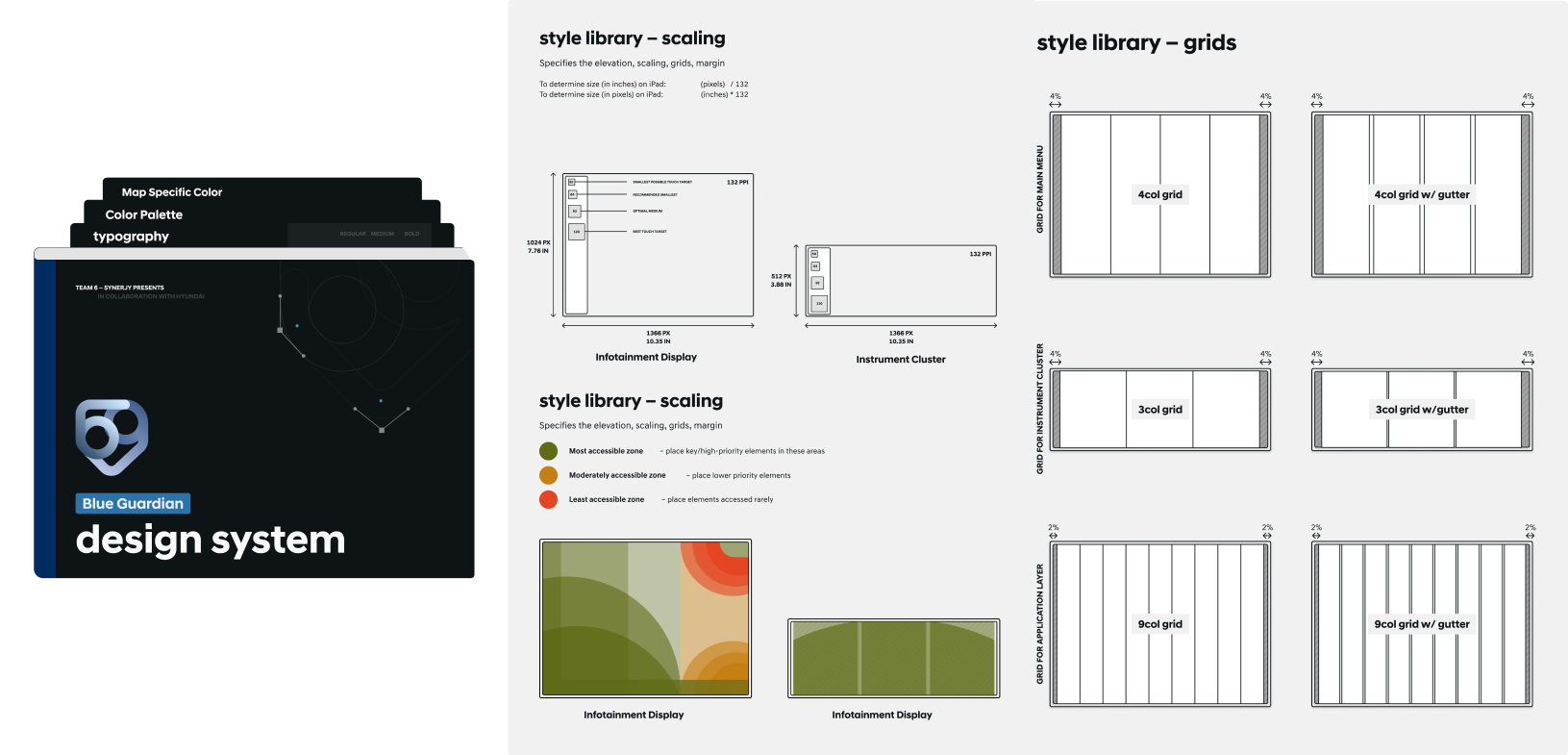
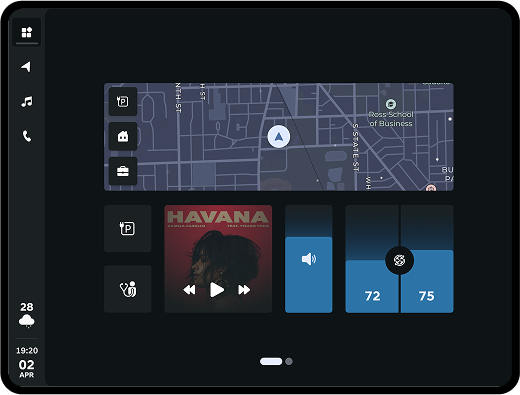
I developed a comprehensive design system covering both the IVI (In-Vehicle Infotainment) screen and IC (Instrument Cluster) inspired from Hyundai's design principles.- WCAG 2.1 Level AA compliant color contrast ratios
- Safe touch zones: Controls positioned for easy reach without distraction
- Grid system and spacing: Consistent layout for clarity and ease of use
Accessibility Feature That Changes Everything
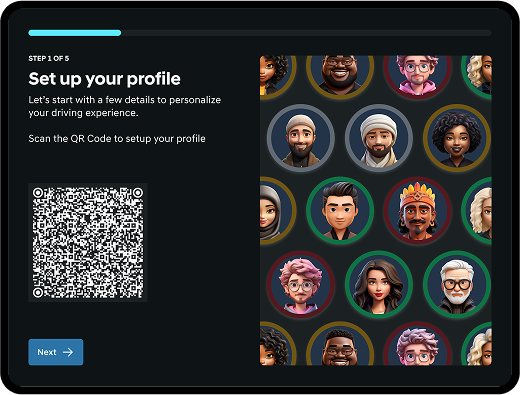
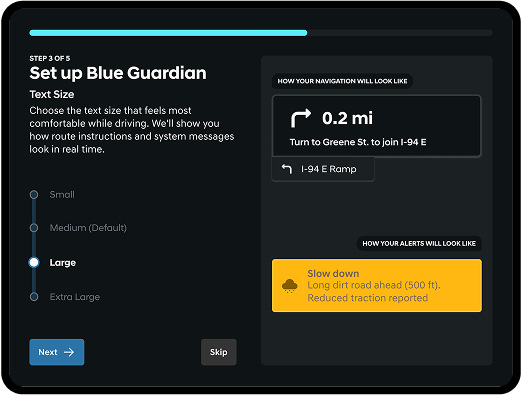
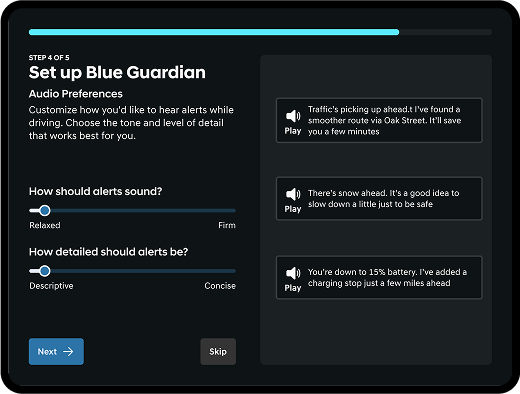
The generational divide I discovered led to our most innovative feature: Adaptive Voice Customization. Unlike simple voice pitch or accent changes, this feature allows users to customize the tone and detail level of voice assistants based on their preferences, making the system feel more personal.Other accessibility features developed include:
- Text size adjustment with real-time layout adaptation
- Safe touch zones: Buttons and controls are positioned within easy reach to minimize distraction
- WCAG 2.1 Level AA compliant color contrast ratios
- Critical information available at a glance
- Light and dark modes for different lighting conditions
Validation
Usability Testing Outcomes
- Average SUS (System Usability Scale) Score: 95/101
- 100% task success rate across all testing scenarios
- 85% of participants said they would use this feature "every time" in winter conditions
- All participants correctly understood route safety comparisons
Stakeholder Response
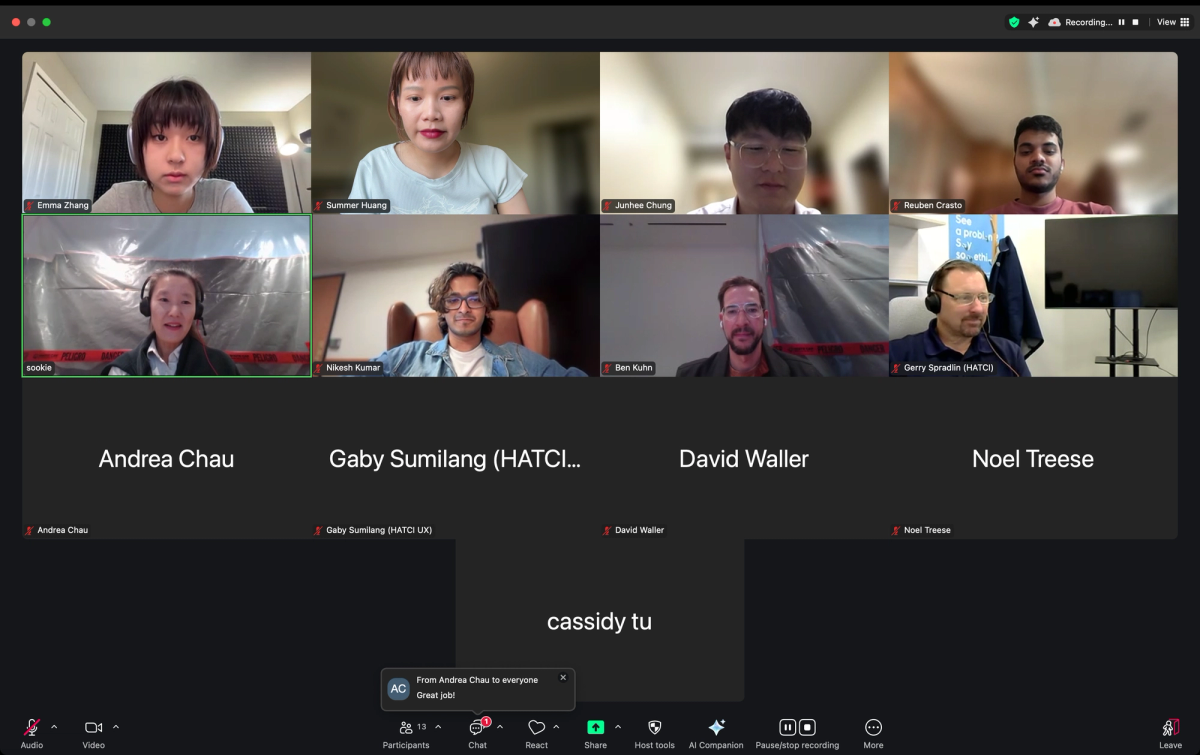
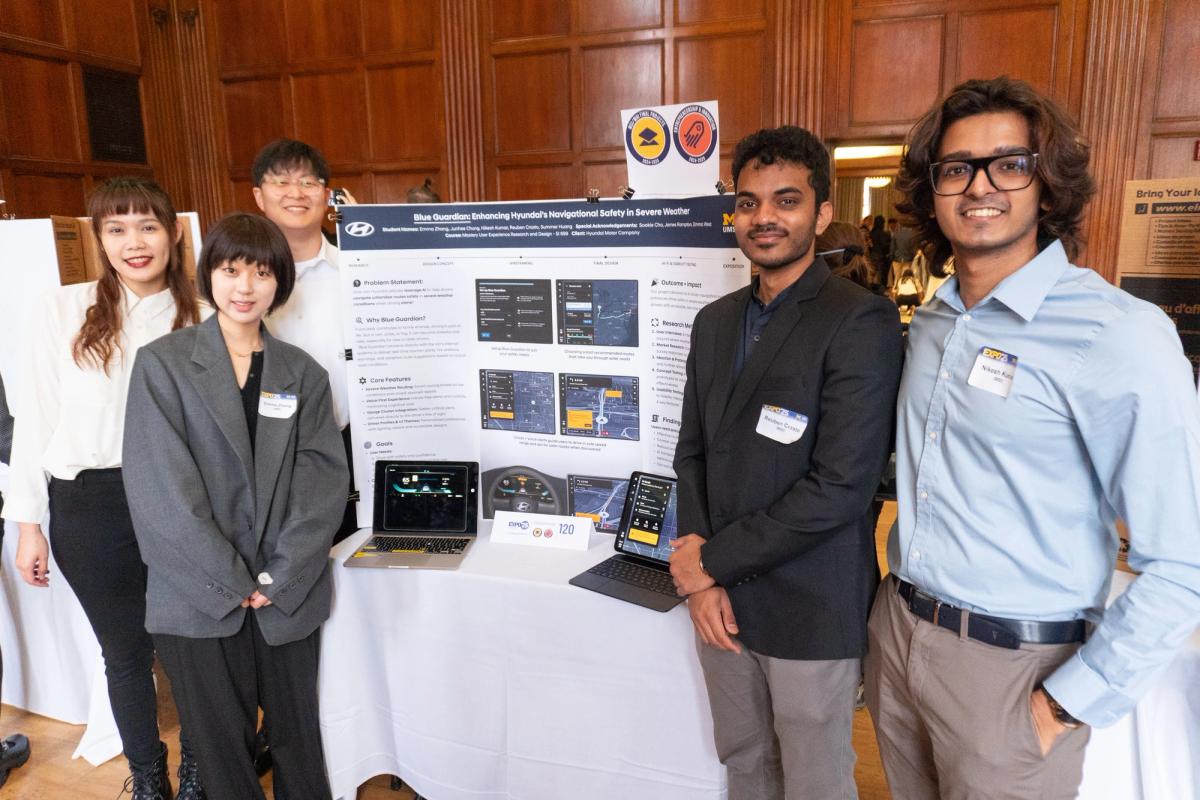
Presented to Hyundai's HATCI (Hyundai Advanced Technology and Customer Innovation) team in Irvine, California, and at the UMSIUMSI (University of Michigan School of Information) Exposition.- Addresses a gap in Hyundai's current IVI (In-Vehicle Infotainment) roadmap
- The accessibility feature is novel and highly valuable
- Research methodology was rigorous and insights were actionable